The buzz
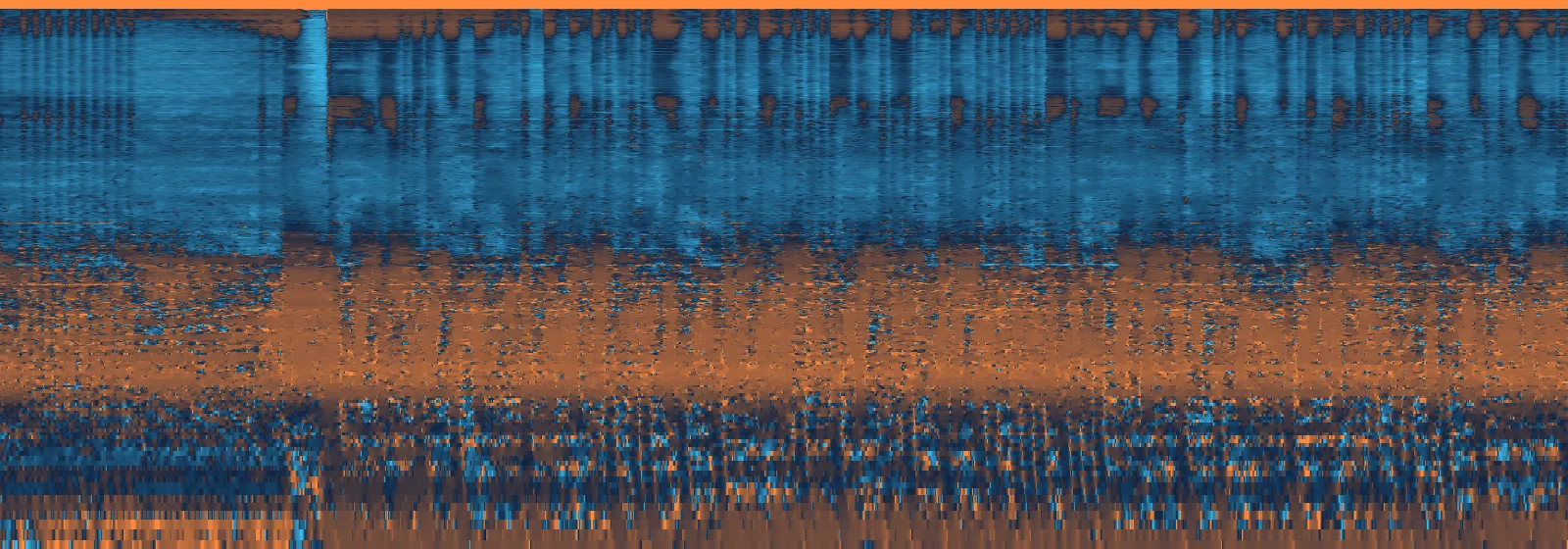
A faint 200 Hz hum under everything, from the decoder’s repeating 240-sample grid. We found it in 11 of 12 Suno songs we measured. Sunscreen takes it out only where it’s there.
 Sunscreen
 Takes out the buzz and haze, brings back the width and air, and masters for streaming. On your Mac, in about a minute a song.
Coming soon to the Mac App Store
For macOS 14 or later, on Apple silicon and Intel Macs.
Twenty seconds of Glass Hearts & Gasoline, made with Suno. Press play, then flip between the original and Sunscreen’s version. Levels are matched, so you hear the difference, not the volume.
Press B to switch
 10 kHz1 kHz100 Hz
 Suno’s songs come out of an audio decoder, and it leaves fingerprints. You may not notice them on laptop speakers. On good headphones, in a car, or next to a pro master, you will.
A faint 200 Hz hum under everything, from the decoder’s repeating 240-sample grid. We found it in 11 of 12 Suno songs we measured. Sunscreen takes it out only where it’s there.
A fizzy, hiss-like layer in the highs, plainest in quiet moments and fades. Sunscreen clears it, and leaves it alone where the music already covers it, so nothing sounds scrubbed.
The stereo highs get pulled into the middle and the top end stops short, so songs sound narrow and a bit dull. Sunscreen rebuilds the width and adds back the air.
Every song goes through the same short routine, all on your Mac. Each step is a checkbox in the sidebar, so you can switch off anything you don’t want.
Read it like the back of the bottle.
| Active ingredients | Purpose |
|---|---|
| Debuzz 200 Hz grid | Removes the decoder buzz |
| Denoise masking-aware | Clears the haze you’d actually hear |
| Smooth | Steadies shimmering, fluttering highs |
| Widen | Rebuilds the stereo highs |
| Excite | Adds air above Suno’s cutoff |
| Match | Tilts the tone toward commercial masters, or a song you choose |
| Master −1 dBTP | Sets streaming loudness with a true-peak limiter |
Makes songs made with Suno sound finished, ready to share or send to your distributor.
Runs entirely on your Mac. Several songs at once, about a minute each. Saves Apple Lossless or AAC with the original’s title, artist, artwork and lyrics, plus the WAV of every step.
None. No account, no upload, no subscription, no tracking.
Click any finished song and Sunscreen plays it with three spectrograms: before, after, and a map of what changed, in the same blue and orange as above. A live spectrum follows along as it plays.
Switch versions mid-phrase with ⌘B. Levels stay matched, so louder never fools your ears.
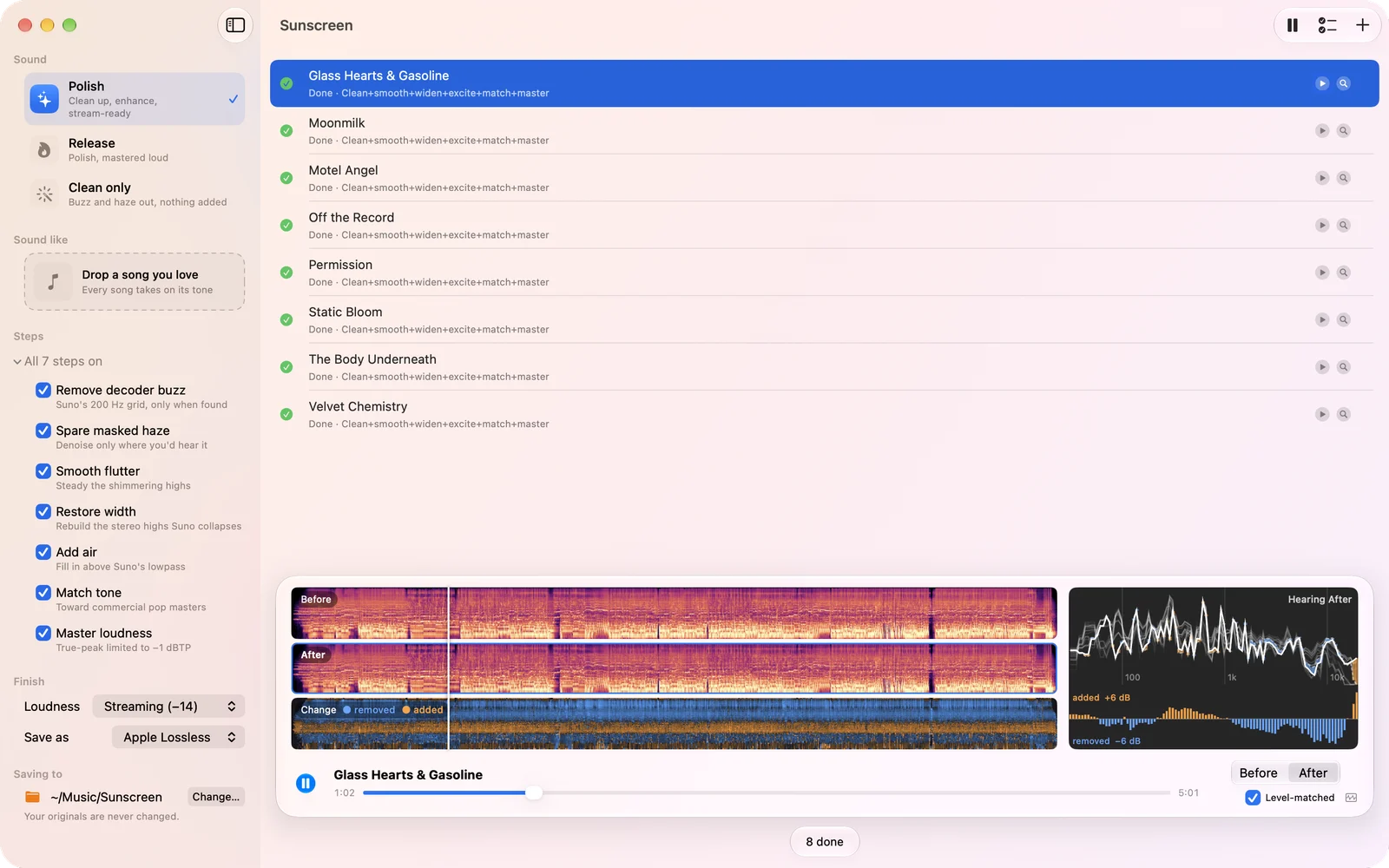
Pick a loudness target and Sunscreen masters to it, with a limiter that keeps true peaks under −1 dB so nothing clips after streaming services re-encode it.
The finished song is saved as Apple Lossless or AAC, tagged with the title, artist, album, artwork and lyrics from your Suno download, so it looks right in Music and in your distributor’s upload form.
Sunscreen processes everything locally. Your songs are never uploaded, and the app collects no data. No account, no analytics.
Something sound off, or a song that won’t process? Get in touch.
support@xenocode.co.jpInclude your macOS version, the Sunscreen version, and what happened. If it’s about one song, the Report.txt in its folder helps a lot.
It’s tuned for Suno’s fingerprints, but any MP3, WAV, FLAC or M4A goes in. The buzz removal only acts when it finds the 200 Hz grid, so on other music it steps aside and the rest works as a gentle clean-up and master.
To ~/Music/Sunscreen by default, one folder per song. You can choose another folder in the welcome screens or at the bottom of the sidebar. Each folder holds the tagged .m4a, a WAV of every step for comparing, the noise that was removed, a report and a spectrogram.
Start with the Polish preset: everything on, mastered for Spotify & YouTube (−14). That suits most songs. If one sounds too bright, untick “Add air” or “Match tone” and run it again.
About a minute for a typical song on a recent Mac. Sunscreen runs up to three songs at once, depending on your Mac’s memory, and keeps going while you do something else.
Sunscreen gets the sound ready. Whether you can release a song depends on your Suno plan and its terms, so check those first.